The Emulator Trap
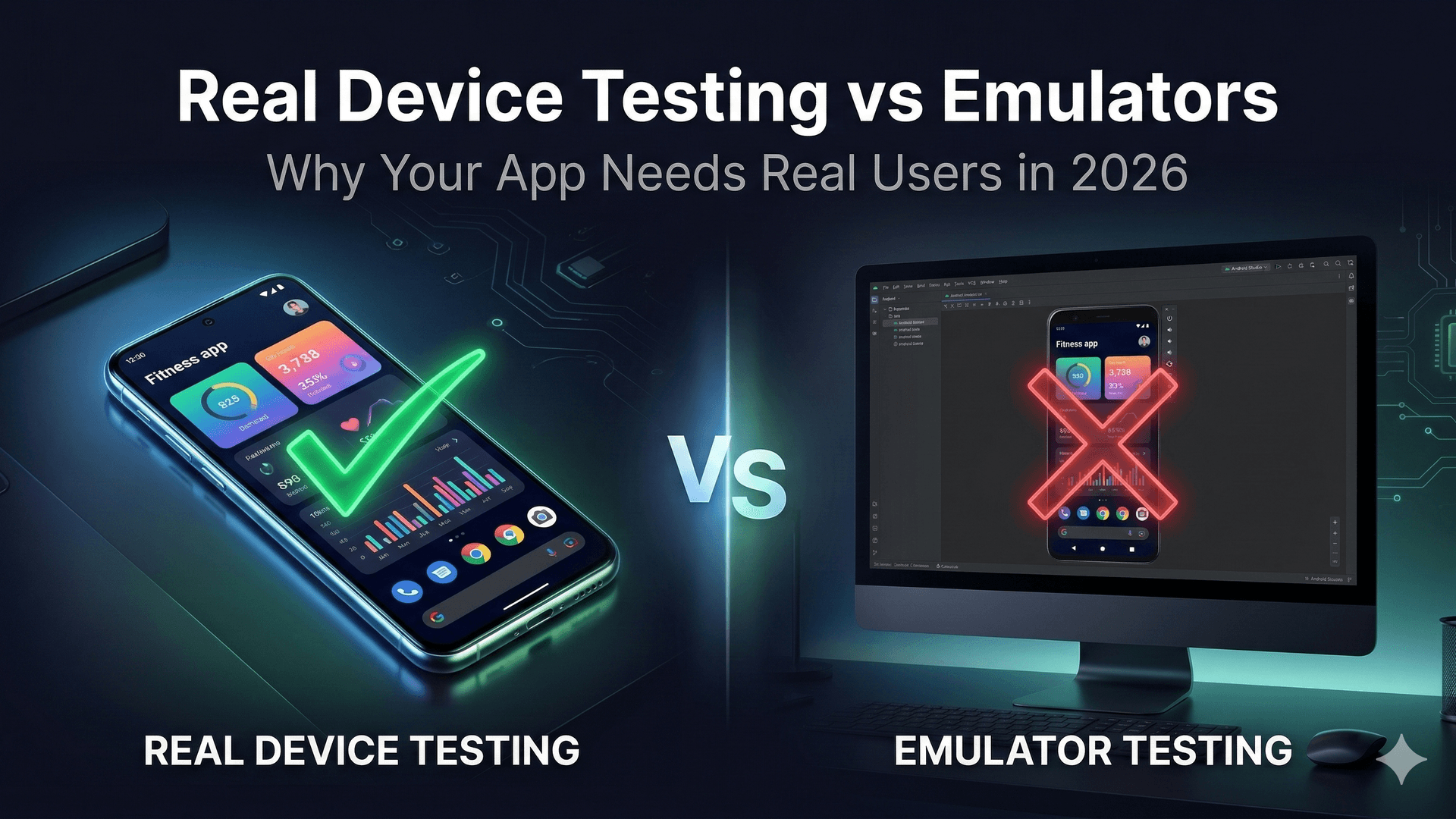
Every Android developer starts with emulators. They're fast, free, and built right into Android Studio. But if you're relying solely on emulators to test your app before publishing on Google Play, you're making a critical mistake.
In 2026, Google has made it clearer than ever: real user engagement on real devices is what matters for Closed Testing approval.
What Emulators Can't Test
Emulators simulate an Android environment, but they miss crucial real-world scenarios:
Hardware Differences
- Screen sizes and densities: Your app might look perfect on a Pixel 8 emulator but break on a Samsung Galaxy A15 with a notch
- Touch responsiveness: Emulators use mouse clicks — real users swipe, pinch, and rotate
- Sensors: Accelerometer, gyroscope, GPS, fingerprint sensors all behave differently on real hardware
- Camera quality: Camera apps need real lens testing, not simulated captures
Performance Reality
- RAM constraints: Budget devices with 2-3GB RAM will throttle your app differently than an emulator running on a 16GB dev machine
- Battery drain: You can't measure real battery impact on an emulator
- Network conditions: Real users switch between WiFi, 4G, and dead zones constantly
- Storage pressure: Real devices have photos, apps, and cached data competing for space
User Behavior
- How people actually hold phones: One-handed use, landscape gaming, split-screen multitasking
- Interruptions: Phone calls, notifications, and app switches mid-session
- Accessibility needs: Screen readers, font size preferences, high contrast modes
What Google Play Actually Checks in 2026
Google's Closed Testing requirements aren't just about having 20 testers for 14 days. They now look at:
- Active engagement: Do testers actually interact with your app, or just open and close it?
- Session duration: How long do testers spend in each session?
- Feature usage: Are testers exploring different screens and features?
- Crash rates: How stable is your app across different devices?
- Device diversity: Are testers using a variety of real Android devices?
This is why bot-based testing services fail — Google can detect artificial usage patterns.
The Perfect Testing Strategy
The best approach combines both:
Phase 1: Development (Emulators)
Use emulators for:
- UI layout testing across different screen sizes
- Unit testing and automated integration tests
- Quick iteration during development
- API response handling
Phase 2: Pre-Release (Real Devices)
Use real device testing for:
- Performance profiling on budget, mid-range, and flagship devices
- Battery and memory usage testing
- Sensor and hardware feature validation
- Accessibility testing
Phase 3: Closed Testing (Real Users)
Use platforms like TesterSPlay for:
- Getting 20+ verified human testers
- Real engagement patterns that satisfy Google
- Genuine feedback from diverse users
- Video-verified activity proof
How TesterSPlay Bridges the Gap
TesterSPlay provides what emulators never can: real humans on real devices testing your app as actual users would.
What Makes It Different
- Verified activity: Testers submit video proof of real engagement
- Device diversity: Testers use their own phones — Samsung, Xiaomi, Motorola, and more
- Global reach: Testers from different countries, networks, and usage patterns
- TesterSplay offers Basic Managed testing for US$15, Guaranteed testing for US$30, and free cross-testing. Managed plans are coordinated through a private chat. Free mode relies on exchanging tests with other developers. Access must be configured and approved before testing begins; Google makes the final production-access decision.
Real Results
Developers who use real device testing through platforms like TesterSPlay see:
- 40% fewer post-launch crashes compared to emulator-only testing
- Higher Google Play approval rates on first submission
- Better user ratings because bugs are caught before real users find them
Tips for Effective Real Device Testing
- Prioritize budget devices: Most users worldwide use devices under $200
- Test on different Android versions: Don't just test on the latest — Android 12 and 13 still have significant market share
- Include different screen sizes: Small phones, large phablets, and tablets
- Test offline scenarios: What happens when the user loses connection?
- Check notification behavior: Do your push notifications work correctly across manufacturers?
Conclusion
Emulators are essential development tools, but they're just the beginning. In 2026, Google Play demands proof that real users can actually use your app on real devices. Platforms like TesterSPlay make this not just possible, but easy and affordable.
Don't let your app fail because you only tested it on perfect conditions. Get it in the hands of real people, on real devices, in real-world situations.
Ready to test your app with real users? Visit testersplay.com and get started today.
Share this article